For this assignment we learned more about the basics of JavaScript along with Photoshop. We were given three tasks to complete.
For the first task, we were to create a JavaScript snippet that contained some sort of conditional statement. For this, I created a button that checks how many times it has been clicked and changes its response based on the clicks.
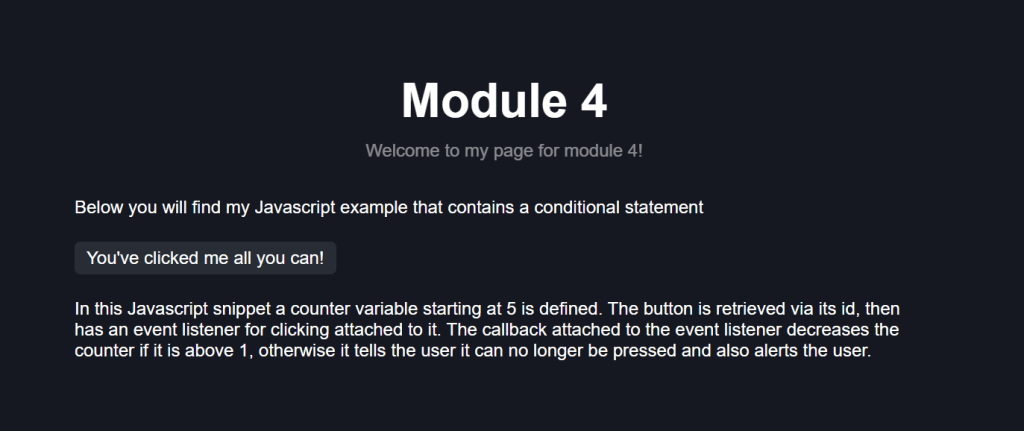
The easiest part of this was defining the variables and getting the button. Attaching the event listener and defining the callback and conditional statement was trickier.
Our next task was to figure out what was wrong with the following JavaScript snippet:
<!DOCTYPE html>
<html>
<body>
<p id=”demo”>Display the result here.</p>
<script>
var greeting;
var hour = new Date().getHours();
if (hour < 18) {
greeting = “Good day”;
else
greeting = “Good evening”;
}
document.getElementById(“demo”).innerHTML = greeting;
</script>
</body>
</html>
The issue with the provided snippet is that the blocks for each condition are not properly sectioned using brackets. Currently there is no brackets separating the if/else blocks. The corrected statement would look like so:
if (hour < 18) {
greeting = “Good day”;
} else {
greeting = “Good evening”;
}
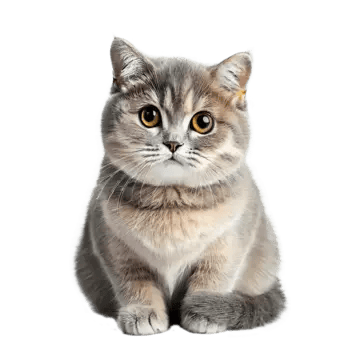
Our final task was to use Photoshop and save an image “for the web”. This compresses the image to make it as a small as possible with minimal quality loss to ensure it loads as quickly as possible. It also provides different formats to save as such as PNG, JPEG, and GIF.
Below is the image I saved:
 Ljlorenz's blog