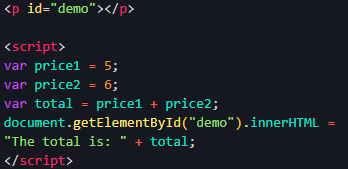
For this assignment we were firstly give some code that we needed to test if it worked:
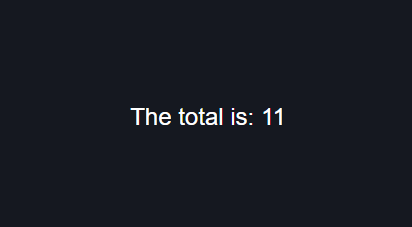
Here we can see that the code does in fact work:
The variables are in this code are the price1, price2, and the total. These are all declared with the var keyword. The object in this code is the node/element return by the getElementById method, which promptly has its innerHTML property changed.
Our next task was to read chapters 2-4 in our textbook. This contained information about javascript, mostly related to the different variable declarations, built in methods, conditional statements, loops, indenting, comments, and proper naming convention and casing.
In our last tasked were told to save a single image in three different formats: png, jpg, and gif. We needed to compare the different formats from their speed, quality, and transparency. The JPG image is the smallest image in terms of size, so it loads the fastest. However, it doesn’t support transparent backgrounds and losses quality when compressed. The PNG image is quite large in terms of size and loads “slower”, but it supports transparency and lossless compression. The GIF image is between the two in size, however it is only one “frame”, and GIFs are meant to have many images make them up. They also support transparency. Overall PNG is typically the standard for most images used in the modern web, and GIFs are used for displaying “moving” images, but videos are often more optimal (in my experience).

