In this weeks module we learned how to create a MySQL database, a table, insert data into that table, and how to connect to it in PHP.
Our assignment this week was to simply create a database, small table, and insert a row into it.
The first step is simple, we go to our infinity free control panel and create a new database.

I named mine “module_9”
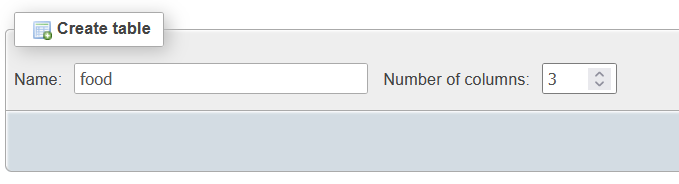
After going to the admin for my new db I needed to make a table. I needed to provide a name and number of columns. I only wanted three attributes so I set that to 3, and my name to “food”.
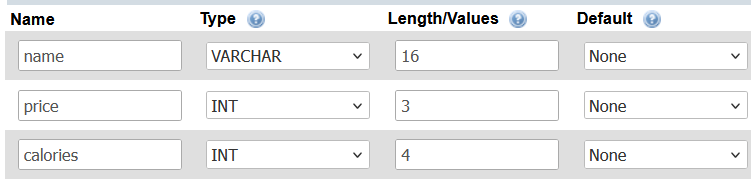
Next was defining the column types, data, and names. I chose my first column to be a food objects name, the type was a VARCHAR with a max length of 16 characters. The second column is price, which I chose to be an INT with a max length of 3 digits. Lastly was calories which was also an INT but had a max length of 4 digits.
The last step was to insert a row (object) into our table. Here I chose to create a food object with the name of “Banana”, price of 1, and calories of 100.
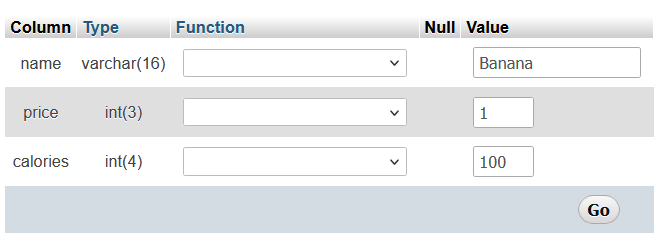
After overlooking the query generated and submitting it, my new food object was in its table.

Overall, I found the creation of the database and inserting the data to be pretty simple. The hardest part of this assignment for me was navigating the database panel, as it feels like some of the information presented it too cramped or there is too much on screen at once.
 Ljlorenz's blog